
The Workspace
One place for the work behind the learning.
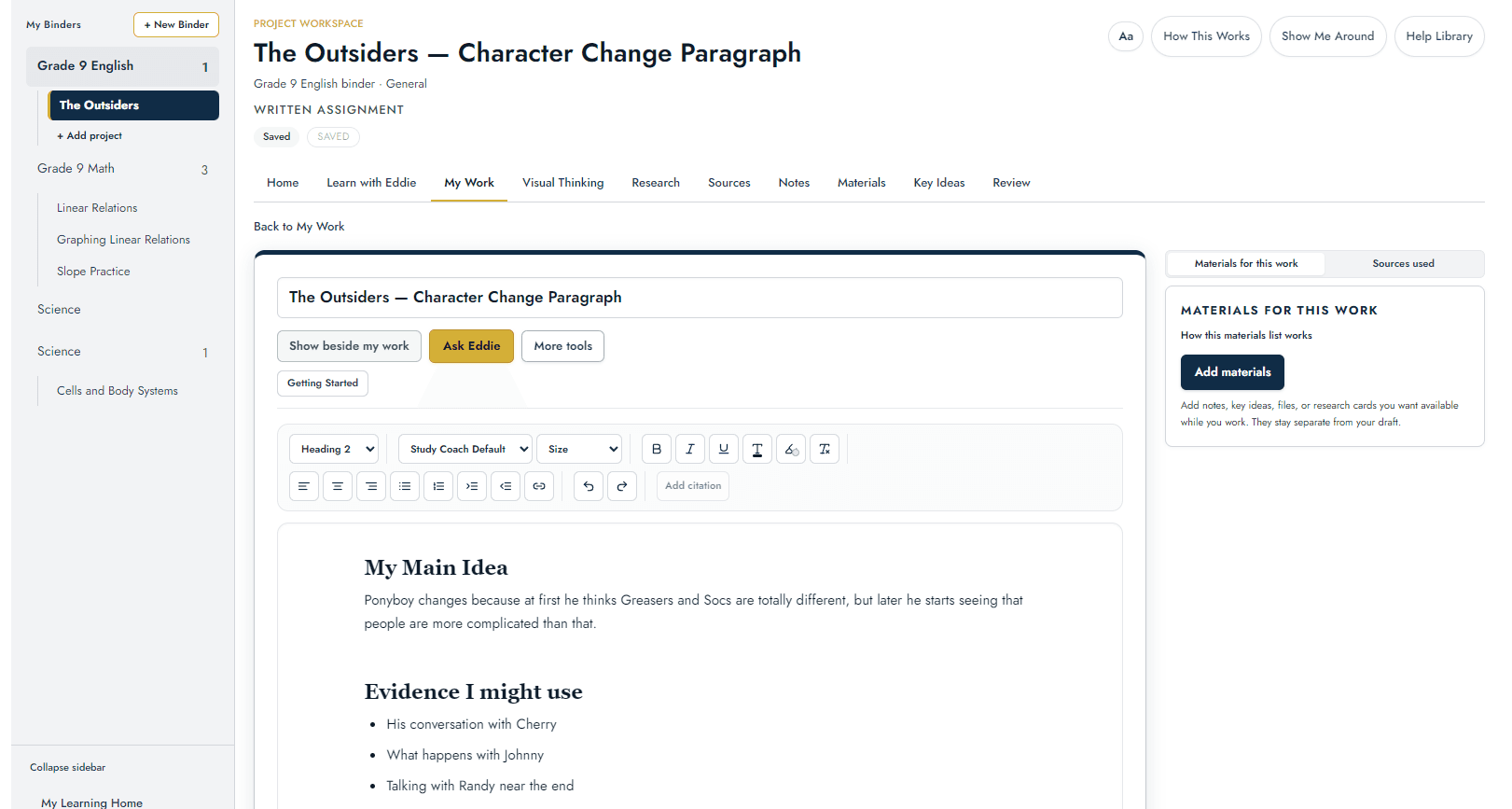
Learning rarely happens in one neat step. A learner may be writing, checking a source, working through a math problem, taking notes, planning what comes next, or returning to something they need to practise again. The Study Coach gives those pieces somewhere to live together.
No credit card required.
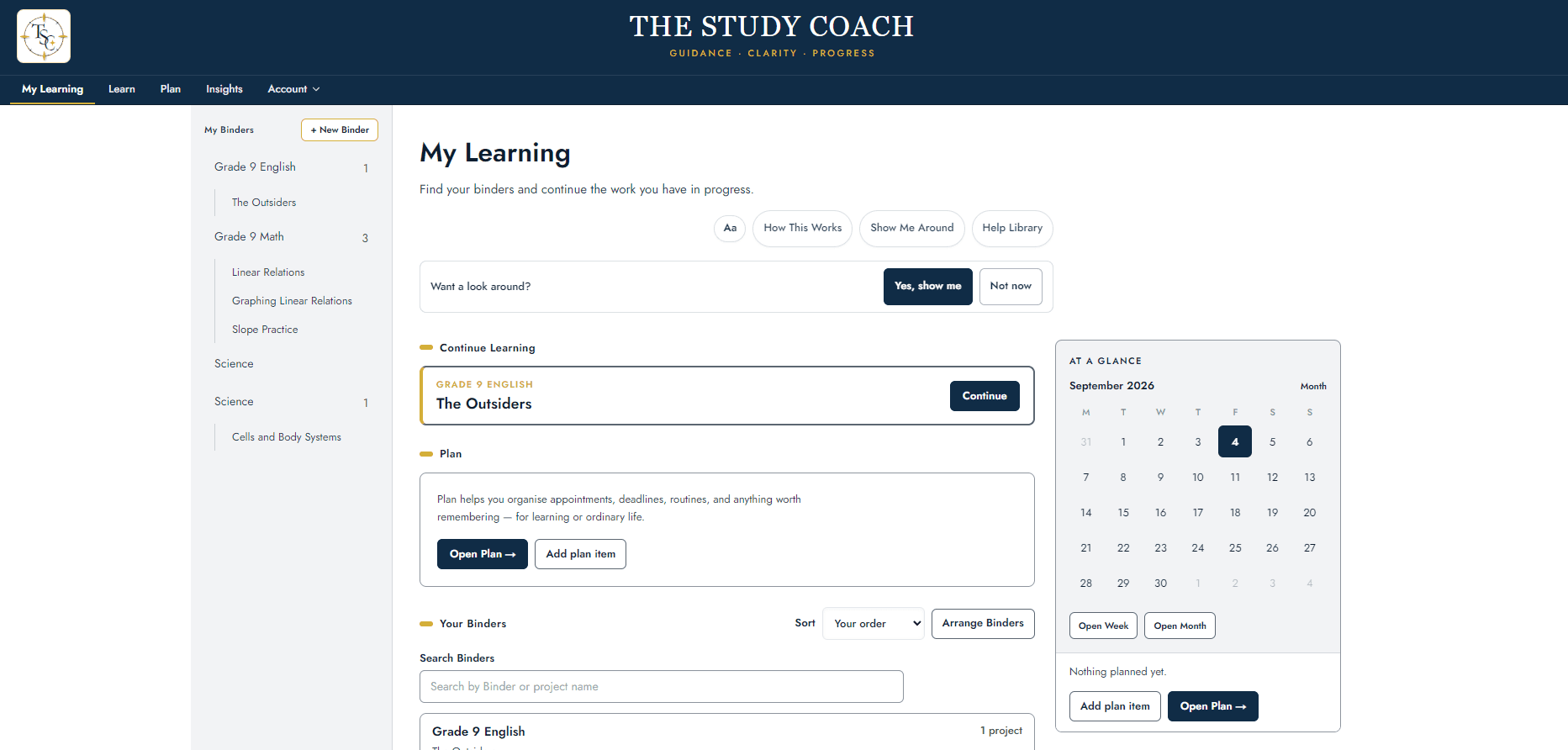
Start with the work that is actually yours.
The learner’s work stays at the centre. My Work gives them a place to write, organise ideas, collect evidence, revise and keep moving.
When help is useful, Eddie can sit beside the work. The learner chooses what to share, asks about the part that is getting in the way, and keeps working on the page. The learner works here. Eddie coaches here.
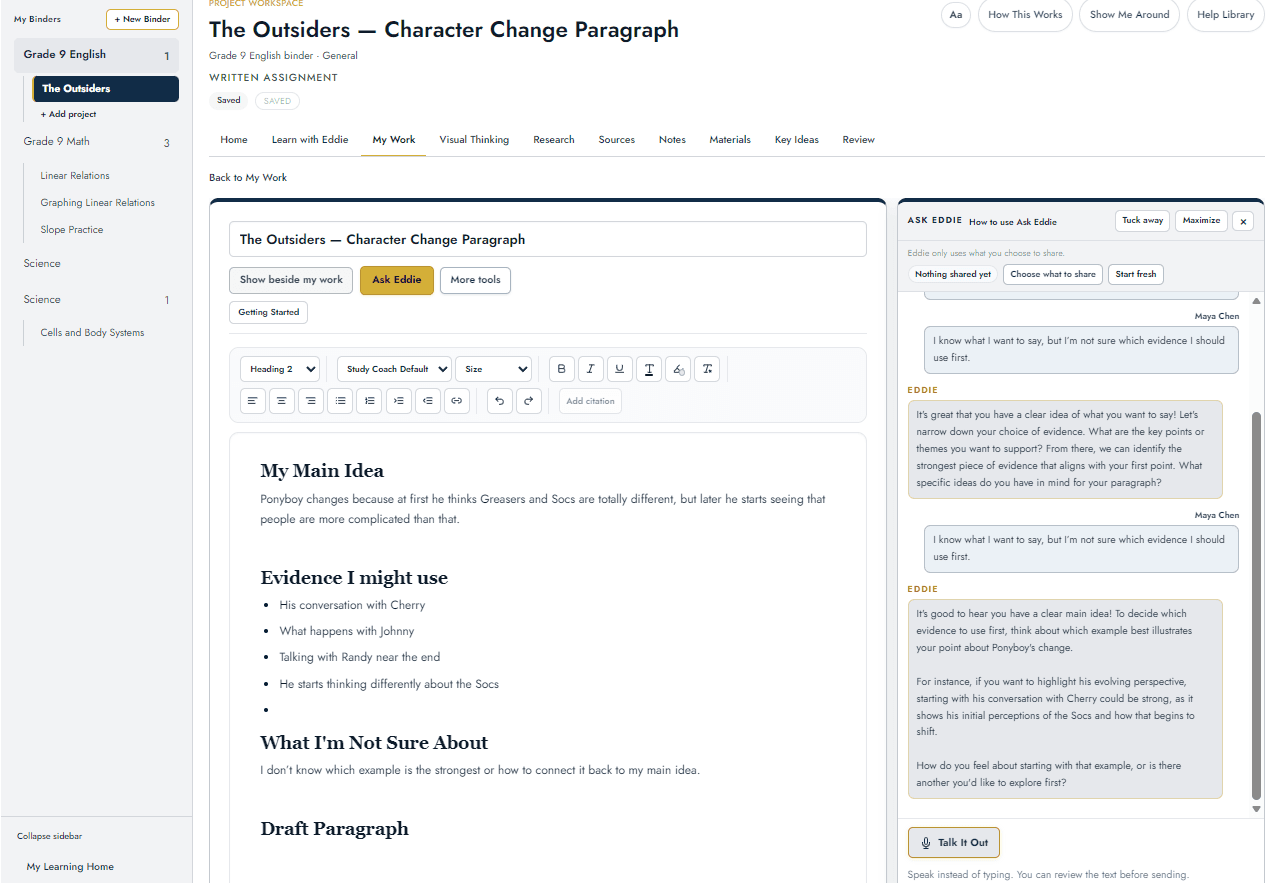
With Eddie
Keep the work, the notes and the evidence connected.
A project is more than a draft. Notes, materials, key ideas, research and sources can stay connected so the learner can find what mattered without hunting through old tabs or conversations.
Research gives the question and the investigation somewhere to live. Sources keeps the real books, websites, articles and other references attached to the project.
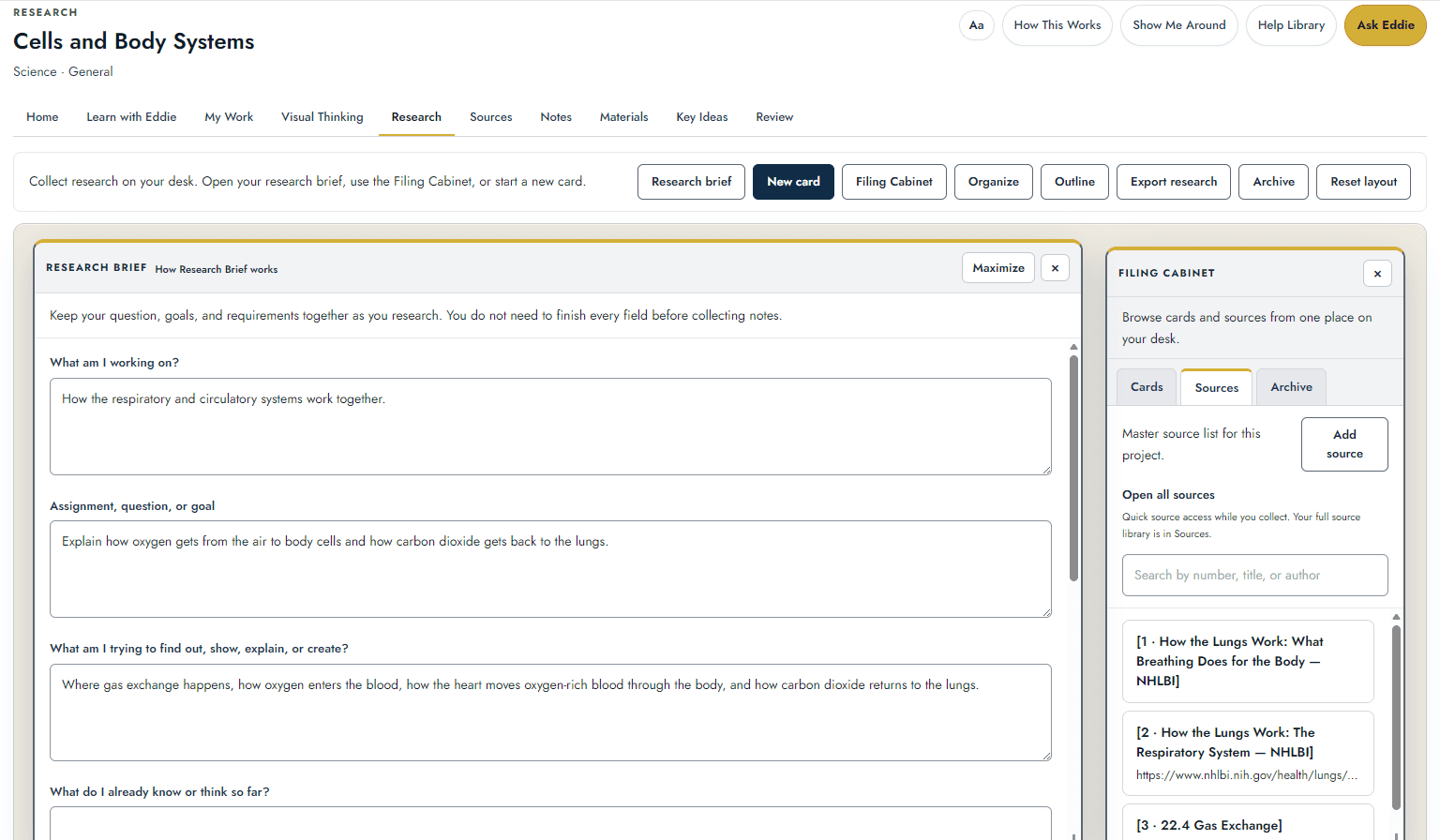
Research
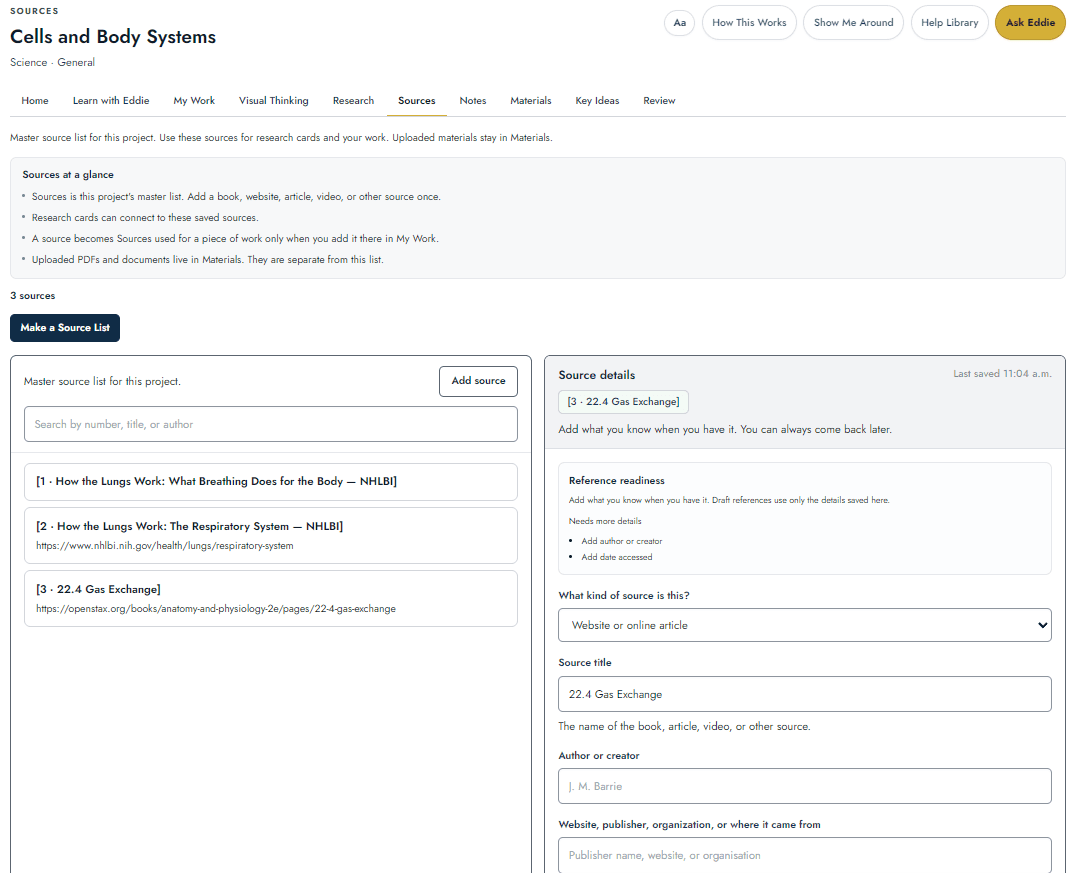
Sources
Show the thinking, not just the answer.
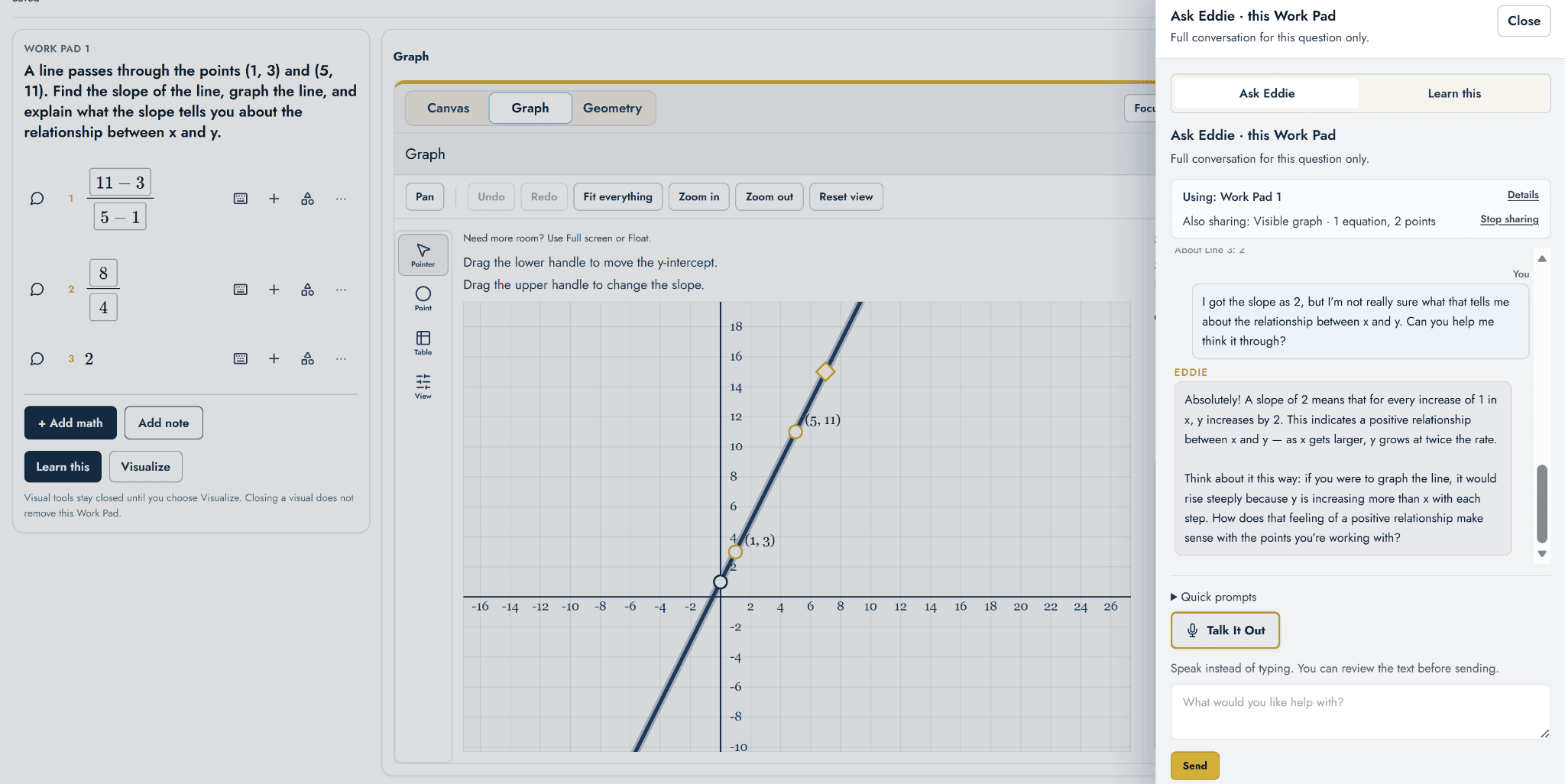
Math Work gives learners room to work through problems step by step, keep their reasoning visible, and use graphs or other visual tools when they help. Eddie can coach from the path the learner has actually taken.
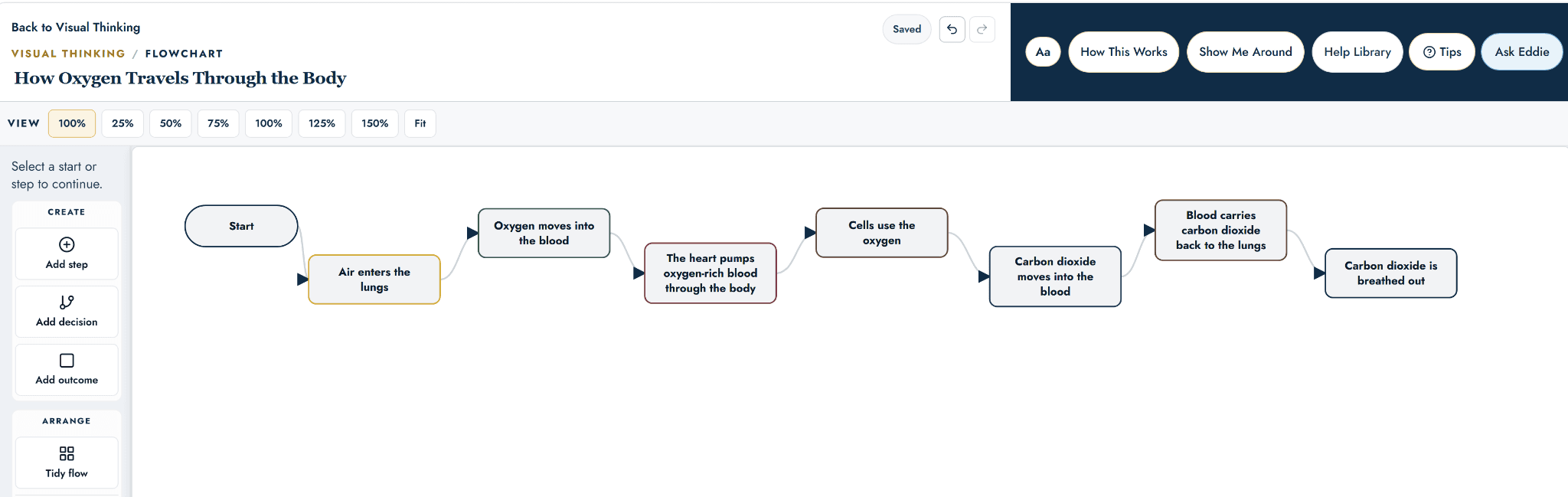
Sometimes an idea makes more sense when you can see it.
Visual Thinking gives learners structured ways to work with relationships, sequence and comparison through mind maps, flowcharts, timelines and Venn diagrams.
Come back to what you’ve learned.
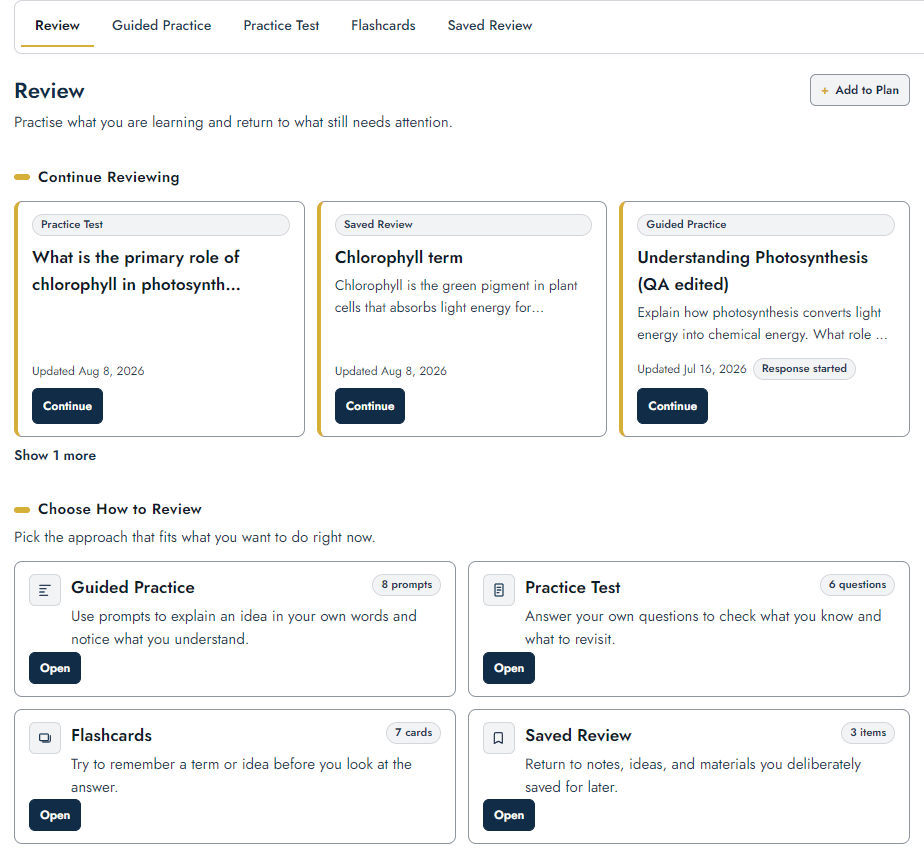
Seeing something once is not the same as remembering it later. Review gives learners different ways to return to what matters: save it, practise recalling it, explain it in their own words, or check their understanding.
- Saved Review — come back to this
- Flashcards — remember this
- Guided Practice — explain your thinking
- Practice Test — check your understanding
Learning has to fit into a life.
Assignments, study sessions, routines, appointments and ordinary life all compete for time. Plan gives learners somewhere to keep track of what is coming up and decide when the work will actually happen.
Learning leaves a trail.
The draft, the question, the source, the calculation, the note, the plan and the thing worth reviewing are all part of learning. The Workspace gives that trail somewhere to stay.
Give the work somewhere to live.
Bring real learning into one workspace — and keep the learner at the centre of it.
No credit card required.